
Is Risk of Rain 2 Split Screen?
Split screen depends on the platform: it is a current-gen console feature and PC never got it. Here is what each version actually supports, and the community routes PC players use instead.
The answer, in one paragraph
On PlayStation 5 and Xbox Series X|S, yes — couch co-op split screen is a listed feature of those two versions. On PC, no: the published feature list carries Single-player, Multi-player, PvP, Online PvP, Co-op and Online Co-op, and no shared or split-screen entry at all. PC players can still put two people on one machine, but only through community tooling — several instances side by side via Nucleus Co-Op, or the older FixedSplitscreen mod that tries to switch on the split-screen code already sitting inside the build.
That platform split is the reason the question has two different answers floating around the internet, and the reason most answers you will find are half right. The rest of this page separates the two cases, then compares the PC workarounds against the supported path: an ordinary online lobby of up to four players.
The line in the store listing that settles it
Storefronts publish multiplayer capabilities as machine-readable categories rather than prose, and the categories for this game are specific enough to answer the question without any interpretation. Alongside the two co-op tags sits the absence of a third one: there is no Shared/Split Screen Co-op category, and no Remote Play Together flag either. A game that supports either has to declare it — the storefront does not infer it.
That absence is the whole answer for the PC build. The full category list, tag by tag, is on our crossplay and multiplayer page, which is built around the same storefront data. Confirmed by official sources — this is read from the storefront's own metadata, not from a summary of it.
Consoles are the exception, and it is the exception most articles miss. When the game came to PlayStation 5 and Xbox Series X|S — the same week Seekers of the Storm launched, with a free upgrade for anyone who owned the PS4 or Xbox One release — those two versions shipped with features the older builds never had, and couch co-op split screen was named among them alongside higher resolutions and frame-rate modes. Confirmed by official sources — that feature list was published at the time of the port, so this is not a community workaround on console; it is the shipping product.
Two consequences follow. First, the answer is not “PC only” or “nowhere” — it is “the current-gen consoles”. Second, the Switch, PS4 and Xbox One builds were not part of that upgrade, so a same-television session is not something you can talk a last-gen owner into; the free upgrade path is the route, and it only exists for PlayStation and Xbox.
On console the setup is the one the game itself documents through its own menu: connect a second controller, assign it a user account or a guest, and a split-screen multiplayer option appears on the main menu, with each player picking their own survivor from there. Reported by players for the exact button sequence, since controller pairing differs per console.
Why the question keeps coming up
The confusion is built into the vocabulary. “Co-op” on a store page describes playing together; it says nothing about sitting together. Because this listing carries a bare co-op tag as well as an online co-op tag, skimming the first one is enough to conclude the game supports a couch session. Our reading is that this is the single most common reason the question gets searched at all — the tags are not wrong, they are just answering a different question.
The practical test is to look for the third tag. Online co-op without shared/split screen means a network lobby; shared/split screen without online co-op means a couch game only. Both tags together is the only combination that gives you both, and the PC listing carries the first and not the second.
The second reason is that console and PC players are not answering the same question. Someone who plays on a current-gen console has had couch co-op since the port and will tell you it exists; someone on PC has never seen the option and will tell you it does not. Both are describing their own build accurately, which is why a single yes-or-no answer to this question will always sound wrong to half the people reading it.
What each setup actually gives you
| Setup | What it gives you | What it needs | Status |
|---|---|---|---|
| Online co-op (supported) | Up to four players, each on their own machine and copy | A copy of the game and a friends-list invite | Official |
| Nucleus Co-Op | Two to four windows of the game on one PC, side by side | Steam copy, one Xbox-style controller per player, third-party tool | Player-reported |
| FixedSplitscreen mod | Attempts to switch on the split-screen code already inside the game | BepInEx and R2API, current game version may break it | Player-reported |
| PS5 / Xbox Series X|S | Native couch co-op split screen, no tooling involved | One console, a second controller, a second profile or guest account | Official |
| Switch / PS4 / Xbox One | Online lobbies only — the split-screen feature shipped with the current-gen versions | One console and one copy per player | Official |
“Official” rows come from the developer's own feature list or the storefront metadata — for the consoles, the feature list published with the current-gen ports. “Player-reported” rows come from the tooling projects themselves and hold only as long as the current game version accepts them.
Route zero: on PS5 or Xbox Series, just turn it on
If you have a current-gen console, none of the rest of this page applies to you — there is nothing to install and nothing that a patch can break. Plug in or pair a second controller, assign it its own account or a guest slot when the console asks, and the main menu grows a split-screen multiplayer entry that a single-controller setup does not show. Both players then pick survivors from that screen, and the run proceeds exactly as an online lobby would.
Worth knowing before you plan an evening around it: the mode is bound to the platform generation, not to the game. A household with a PS4 or an Xbox One and four controllers still has no split screen, and the upgrade that fixes that is a free download rather than a purchase. If your group mixes a current-gen console with a PC, only the console pair can share a television — the PC player joins over the network or not at all.
Route one: online co-op, the supported path on every platform
One player hosts from the friends list and everyone else joins the same run. The lobby holds four players, which is also the number the game's own description suggests when it says solo or up to three friends. Only one person in the lobby needs to own an expansion for its monsters, stages and items to show up for everyone — but the two survivors that expansion added stay locked for anyone who does not own it. That content-sharing rule is worth knowing before a group decides how many copies to buy, and it is spelled out per expansion on the expansions overview.
This is also the only route that survives a patch, works on console, and does not cost anyone a second machine of setup time. The trade-off is obvious: it is not the same room.
Route two: Nucleus Co-Op, several windows on one PC
Nucleus Co-Op is the more current of the two workarounds. Instead of modifying the game, it starts several copies of it and tiles their windows across one monitor, so the “split screen” you get is actually the operating system's window arrangement. Its Risk of Rain 2 handler is published as part of the SplitScreen.Me handler collection, and the project's own guide describes the setup as: install the game, point the tool at the executable, assign one Xbox-style controller per screen section, then click play and host a private game in the first instance while the second joins through the friends list or a direct address.
Two things follow from that design and are worth stating plainly. First, Steam is required — the instances join each other through Steam or LAN, so a pirated copy has nothing to connect to. Second, the load is real: you are running the game several times at once, so the machine has to hold up under two to four copies, and the project's own troubleshooting notes treat version mismatch between instances as the usual cause of a failed join. Reported by players — this route is documented by the tool project rather than by the game's developer, and it is unsupported by definition.
Route three: the FixedSplitscreen mod (legacy)
The mod route takes the opposite approach: rather than running two copies, it tries to enable split-screen code that already exists inside the game. The package is xiaoxiao921-FixedSplitscreen on Thunderstore, where its own description frames it as fixing the problems with the existing split-screen implementation, and its dependency list is the usual BepInEx plus the community API.
Check the dates before you plan an evening around it. The Thunderstore listing we read shows version 1.4.3 last updated in January 2022, and the package is flagged as deprecated — the game has been patched many times since. That does not mean it cannot work, but it does mean nobody is maintaining it for the current build, and a failure will look like a crash or an unresponsive second controller rather than a clear error message. If you go this way, install it through a mod manager so you can roll the profile back in one click; the modding overview on this site covers how the Thunderstore ecosystem is structured.
One warning that costs people an afternoon: pages promising this mod is a simple download sometimes point at a save-management package instead of a split-screen one. A save mod does not create a second viewport. If the package name does not contain “splitscreen”, it is not the split-screen mod.
Which one should you pick?
- A PS5 or an Xbox Series in the room. Use the built-in mode — two controllers, no downloads, no maintenance. This is the only route on this page that the developer supports, and it is the one thing the PC build cannot do at all.
- Four friends, four machines. Online co-op. Nothing to install, nothing to break, and it is the only option that also works for a mixed group on console.
- Two people, one PC, controllers in hand. Nucleus Co-Op. Expect setup time and a hardware ceiling, and expect to re-check the handler after a game patch.
- You want the least moving parts. Skip both. A second copy on sale is often cheaper than the evening you will spend debugging a deprecated mod, and it is the only path the developer supports.
Split-screen and local co-op setups in practice
AZ Digital
The console side of the answer, and the clearest statement of the platform split
- Splits the answer by platform instead of giving one verdict: the console build exposes a split-screen multiplayer entry on its main menu, and the PC build never shows one.
- Treats the console setup as a menu-level action rather than a mod — connect a second controller, then assign it a user account or a guest slot so the option appears.
- Says the pairing steps differ per console, so it demonstrates one pad's sequence rather than claiming a universal one.
- Describes the PC workarounds as the weaker path at the time of recording, with the mod route broken after a game update.
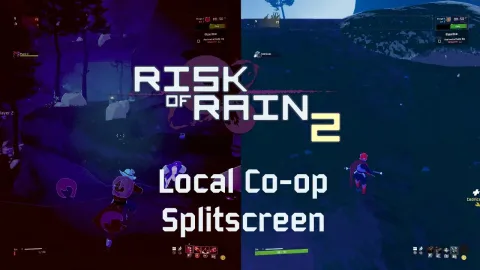
Cedricson
The mod route end to end, from a mod-manager profile to a vertically split screen
- Frames the route as a mod-manager install rather than a manual file copy: create a profile, install the split-screen package with its dependencies, then launch the modded build.
- Shows that the mod adds a split-screen menu to the game itself — the screen is divided vertically and each side is assigned its own controller and profile.
- Confirms the structural requirement behind every working setup: one in-game profile per player, because each screen section logs in as a separate player.
- Carries its own expiry warning in the title, which is the honest summary of this route — the creator later re-recorded the method because a game update broke it.
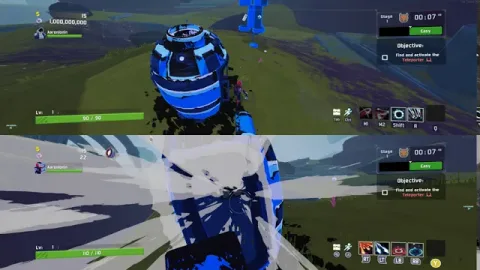
Gaming Del Norte
The manual-install version of the same mod, for anyone not using a mod manager
- Lays out the manual install order: mod loader into the game folder, then the community API into its plugins directory, then the split-screen package last.
- Treats the console window that opens on a modded build as expected output rather than a failed install.
- Requires several in-game profiles, one per player, since the mod switches profiles instead of sharing a single one.
- Uses a console command to bring up the layout, and the command changes with the number of players.
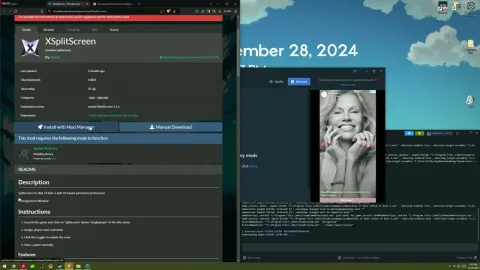
Cedricson
The same creator's follow-up, showing that the mod only works again after downloading an older build of the game
Embedded without a transcript: this video has no English captions, so it is presented as a demonstration of the downgrade step rather than summarised in text.
Frequently asked
- Is Risk of Rain 2 split screen?
- It depends on the platform, and the split is clean. On PC there is no split screen: the published feature list carries Single-player, Multi-player, PvP, Online PvP, Co-op and Online Co-op, and no shared or split-screen entry. On PlayStation 5 and Xbox Series X|S there is — the current-gen console versions shipped with couch co-op split screen.
- Can two people play Risk of Rain 2 on one PC?
- Yes, with third-party tooling, and there are two different approaches. Nucleus Co-Op launches several copies of the game and lays their windows out side by side, so each player needs their own controller. The FixedSplitscreen mod instead tries to enable the split-screen code that ships inside the game — it is far older and its Thunderstore listing is now marked deprecated, so treat it as a legacy path.
- Why does the store say co-op if there is no local co-op?
- Because Co-op and Online Co-op are two separate storefront categories and this game carries both, while Shared/Split Screen Co-op is a third category it does not carry. The bare co-op tag describes playing together, not sitting together — the two tags next to it are what tell you the session runs over the network.
- Does Risk of Rain 2 have local co-op on console?
- On PlayStation 5 and Xbox Series X|S, yes: couch co-op split screen is one of the features listed for those two versions, which arrived alongside Seekers of the Storm and were handed to existing PS4 and Xbox One owners as a free upgrade. Connect a second controller, assign it a user or a guest account, and a split-screen multiplayer option appears on the main menu. The Switch, PS4 and Xbox One versions were not part of that feature set.
- Which console version should I buy for couch co-op?
- The current-gen build, not the last-gen one. The split-screen feature is attached to the PlayStation 5 and Xbox Series X|S versions rather than to the game as a whole, and it does not reach back to the previous generation. If you already own the PS4 or Xbox One release, the upgrade to the matching current-gen version is the free route to it.
- Does Steam Remote Play Together add a second local player?
- Remote Play Together streams a local multiplayer game to a friend, so it needs the game to have a local mode in the first place. Risk of Rain 2 does not, and its listing does not carry the Remote Play Together flag — the supported way to play with a friend at a distance is the ordinary online co-op lobby.
Sources and gaps
The PC feature list, the mod's version and deprecation flag, and the expansion sharing rules were read from the platform storefront, the Thunderstore package API and the developer's own expansion text. The console split-screen feature is from the announcement of the PlayStation 5 and Xbox Series versions rather than from a storefront category, which is why this page quotes the ports instead of a tag. The Nucleus Co-Op steps come from that project's guide. What is not covered here: performance numbers for a specific machine, how many players the console split screen seats (the announcements do not state a figure), and the internal PC split-screen implementation itself — it is unreleased code, so this page describes what the community has got working rather than what the developer intends to ship.